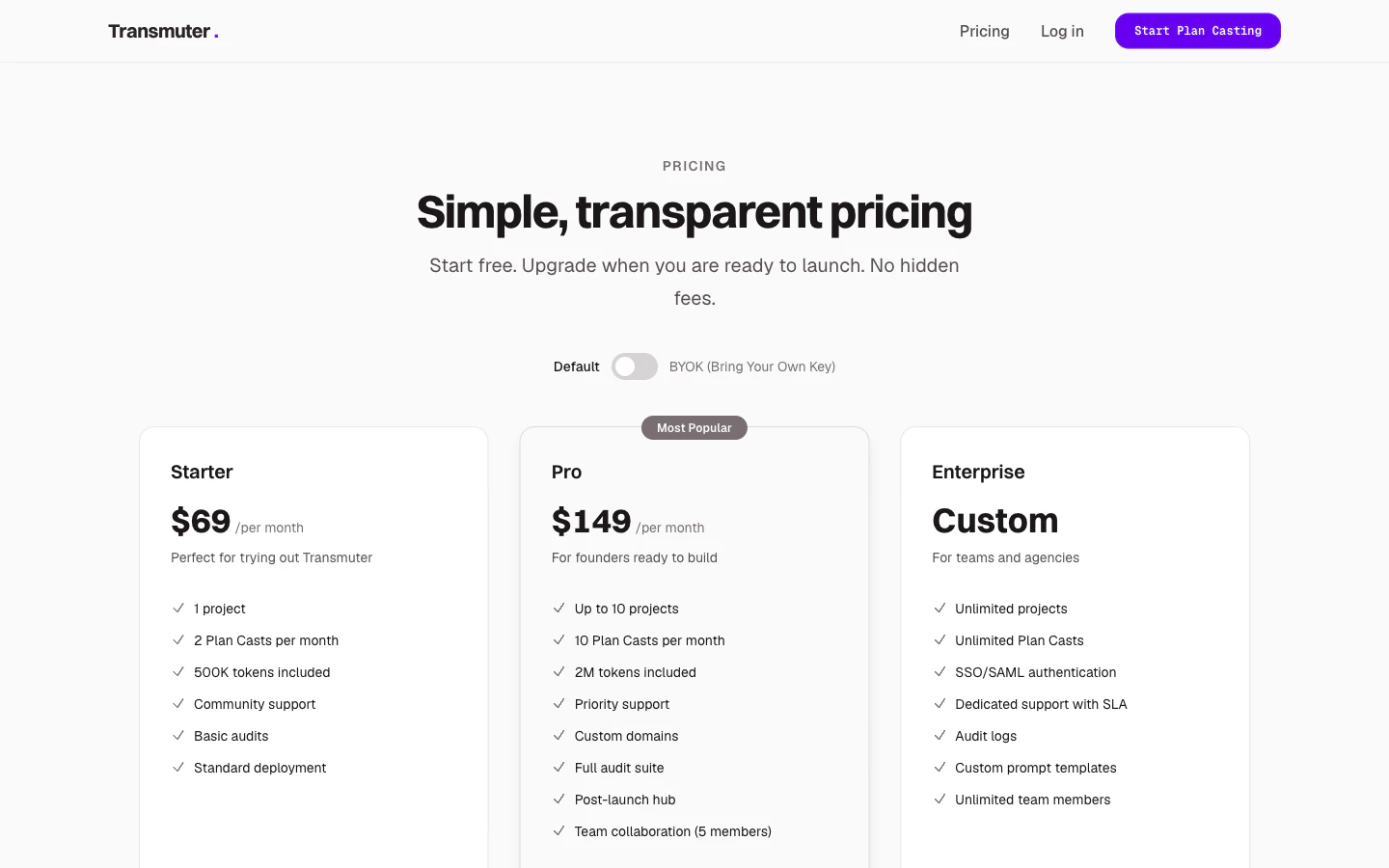
Plans at a glance
Default vs. BYOK mode
Default Mode -- simplest option
Default Mode -- simplest option
Transmuter provides the AI processing power. Your subscription price covers everything — no extra accounts or API keys needed. Best for non-technical users who want the simplest experience.
BYOK Mode -- lower cost, more control
BYOK Mode -- lower cost, more control
You provide your own Anthropic API key, and pay Anthropic directly for AI usage. Your Transmuter subscription is lower because it covers only the platform. Best for technical users or high-volume users who want cost control.See BYOK (Bring Your Own Key) for setup details.
Add-ons
Need more than your plan includes? Add-ons are available on any plan:Managing your subscription
1
Go to billing settings
Navigate to Settings > Billing from the sidebar. You will see your current plan, usage, and billing history.
2
Upgrade or downgrade
Click Change Plan to see available options. Upgrades take effect immediately. Downgrades take effect at the end of your current billing period.
When downgrading, if you exceed the lower plan’s limits (for example, you have 3 active projects but Starter only allows 1), you will need to archive extra projects before the downgrade takes effect.
3
Switch billing mode
You can switch between Default and BYOK mode from the billing settings. Switching takes effect at the start of your next billing period.
Billing per workspace
Each workspace has its own subscription and billing. If you have multiple workspaces, each one is billed independently. This is useful for consultants and agencies who manage separate client workspaces.Payment methods
Transmuter accepts all major credit and debit cards. Payment is processed securely through Stripe.Viewing usage and history
The billing settings page shows:- Current month’s usage (Plan Casts used, tokens consumed)
- Historical usage and billing statements
- Upcoming renewal date and amount