What is Transmuter?
What is Transmuter?
Transmuter transforms your business plan into a fully deployed, production-ready software product. You describe what you want to build in plain language, and Transmuter handles the specifications, code, testing, security audits, and deployment.
Do I need to know how to code?
Do I need to know how to code?
No. Transmuter is designed for non-technical users. You write your business plan in plain
language, and Transmuter handles all the technical work. If you are technical, you can enable
Developer View to see and inspect the generated code.
What kind of products can Transmuter build?
What kind of products can Transmuter build?
Transmuter builds web applications — the kind of software you access through a browser. This
includes SaaS products, marketplaces, internal tools, dashboards, e-commerce stores, and more. It
currently does not build mobile apps, desktop applications, or hardware products.
How long does a Plan Cast take?
How long does a Plan Cast take?
A typical Plan Cast takes 4-24 hours of automated building time, depending on your product’s
complexity. Simple products (5-10 features) finish faster; complex products (20+ features) take
longer. Review checkpoints pause the process so you can review at your own pace — this time is
not counted.
How much does it cost?
How much does it cost?
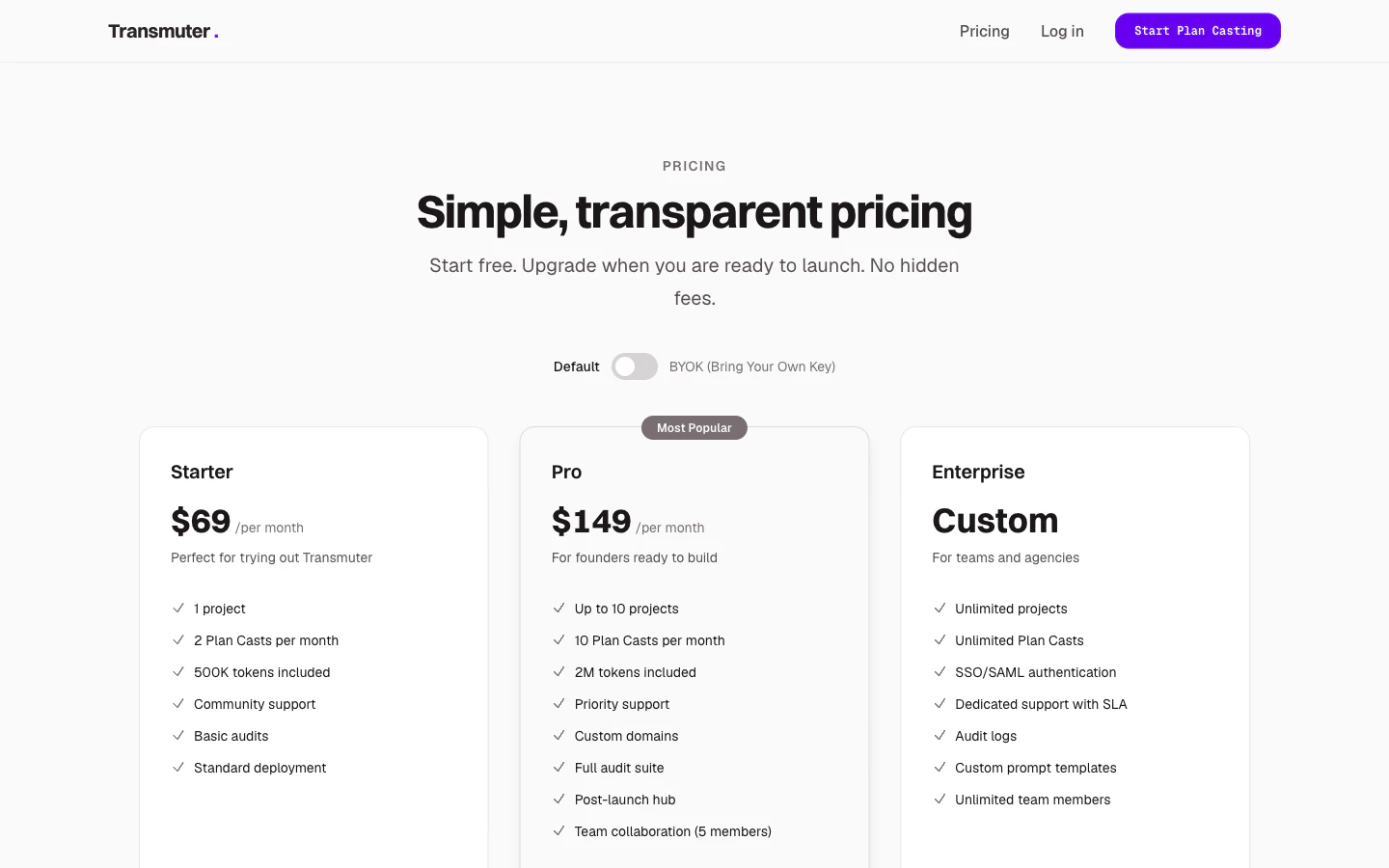
Plans start at $29/month (BYOK mode) or $69/month (Default mode). See our pricing
page or the Billing and
Plans guide for full details.
What is the difference between Default and BYOK mode?
What is the difference between Default and BYOK mode?
In Default mode, AI processing is included in your subscription. In BYOK (Bring Your Own Key)
mode, you provide your own Anthropic API key, pay Anthropic directly for AI usage, and get a lower
Transmuter subscription price. See BYOK for details.
Do I own the code?
Do I own the code?
Yes, completely. Your code is pushed to your own GitHub account, hosted on your own Vercel
account, and your data lives in your own Convex account. You have full ownership and access.
Canceling your Transmuter subscription does not affect your deployed product.
Can I modify the code after deployment?
Can I modify the code after deployment?
Yes. Since the code lives in your GitHub repository, you (or a developer you hire) can clone the
repository and make any changes you want. The code is written in industry-standard TypeScript and
follows best practices.
What happens if I cancel my subscription?
What happens if I cancel my subscription?
Your deployed product continues running because it is hosted on your own accounts. You lose access
to Transmuter’s building, monitoring, and maintenance features, but your product stays live. You
can resubscribe at any time to regain access.
Is my data secure?
Is my data secure?
Yes. Transmuter uses industry-standard encryption for all credentials and sensitive data. API keys
are encrypted at rest, never written to log files, and only used inside isolated, secure execution
environments. Your business plan and product code are only accessible to you and your workspace
members.
Can I invite team members or clients?
Can I invite team members or clients?
Yes. Each workspace supports multiple members with different roles (Owner, Admin, Member, Viewer).
Invite clients as Viewers so they can review specifications without making changes. See Team
Members for details.
What if I do not have a business plan?
What if I do not have a business plan?
You can start from one of our built-in templates (SaaS, Marketplace, Internal Tool, Mobile App,
E-commerce) and customize it with your specific product details. The template provides a
structured starting point.
Can I run multiple Plan Casts for the same project?
Can I run multiple Plan Casts for the same project?
Yes. You can submit feedback after launching and run additional Plan Casts to implement changes.
Each Plan Cast uses one of your monthly allocations or can be purchased as an add-on.
What cloud accounts do I need?
What cloud accounts do I need?
You need three accounts: GitHub (code storage), Vercel (hosting), and Convex (database). All three
offer free tiers. Transmuter walks you through creating them if you do not have them yet. See
Connecting Cloud Accounts for details.
Is there a free trial?
Is there a free trial?
There is no free trial at launch, but you can explore a demo project after signing up to see what
a completed Plan Cast looks like before committing to a plan.
Can I upgrade or downgrade at any time?
Can I upgrade or downgrade at any time?
Yes. Upgrades take effect immediately. Downgrades take effect at the end of your current billing
period. If you exceed the lower plan’s limits (for example, you have 3 active projects but Starter
allows only 1), you will need to archive extra projects before the downgrade takes effect.
Where can I find help inside the app?
Where can I find help inside the app?
Transmuter has a built-in Help Center with searchable articles organized by topic: Getting Started, Cloud Accounts, Plan Casting, Billing, and Troubleshooting. There is also an interactive troubleshooter for diagnosing common issues.