> ## Documentation Index
> Fetch the complete documentation index at: https://docs.transmuter.3mergen.com/llms.txt
> Use this file to discover all available pages before exploring further.
# Troubleshooting
> Solutions for common issues you might encounter while using Transmuter.
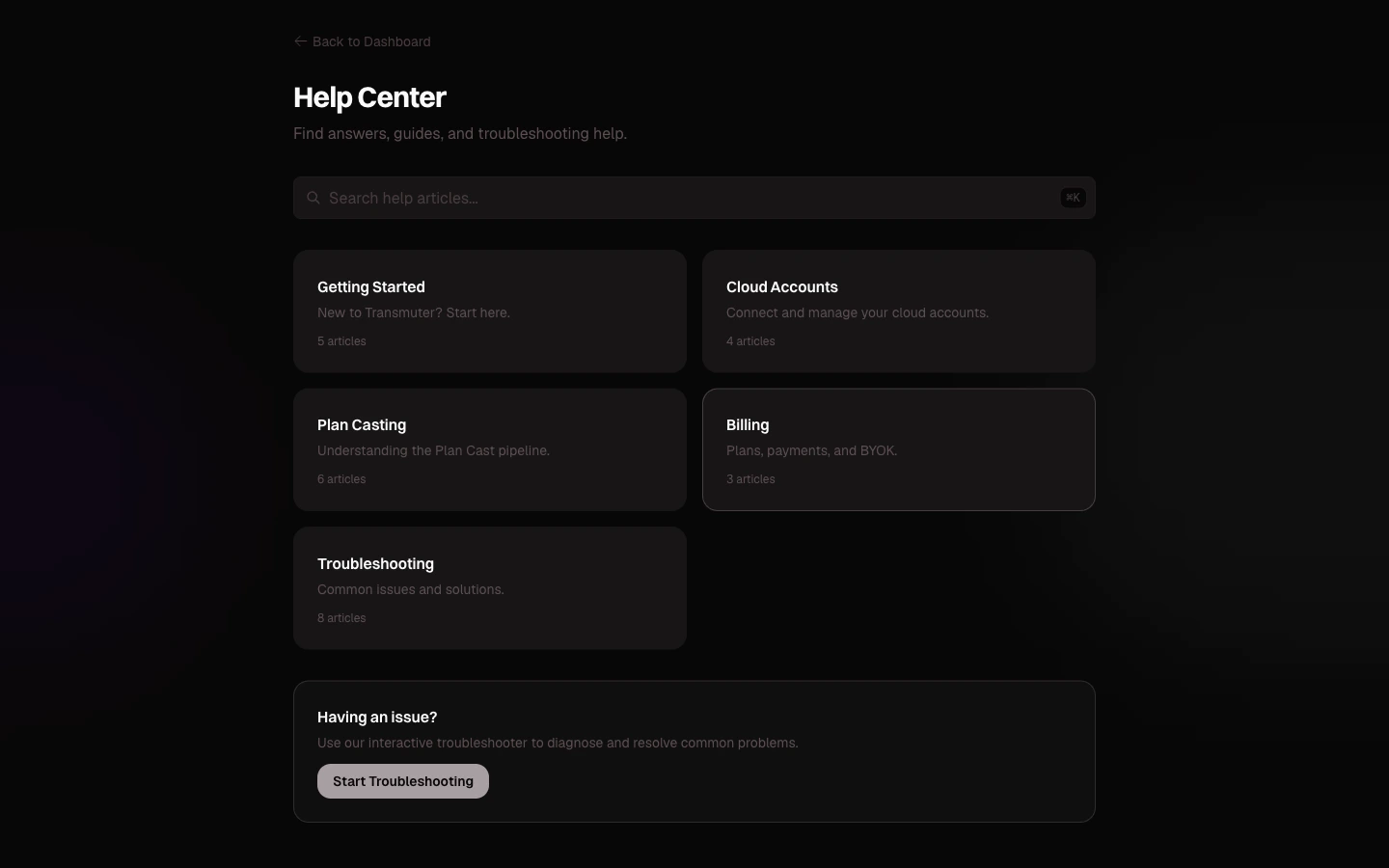
Running into an issue? Find your problem below for a quick solution. You can also use the in-app [Help Center](https://transmuter.3mergen.com/help) which includes a searchable knowledge base and an interactive troubleshooter.
 ## Account and login
* **Forgot your password?** Click "Forgot password?" on the login page to receive a reset email.
* **Using OAuth?** Make sure you are clicking the same sign-in method you used during signup (Google or GitHub).
* **Account locked?** After too many failed attempts, your account is temporarily locked for 30 minutes. Wait and try again, or reset your password.
* **Verification email not received?** Check your spam folder. You can request a new verification email from the login page.
{" "}
Sessions last 30 days with regular use. If you have not used Transmuter for 24 hours, you may need
to log in again. This is a security feature to protect your account.
Make sure you are looking at the right workspace -- click the workspace name in the top-left corner to switch between workspaces. If you were removed from a workspace by its owner, you will no longer see it in the switcher.
## Cloud account setup
Your browser may be blocking popups. Allow popups for `transmuter.3mergen.com` in your browser settings:
* **Chrome**: Click the popup-blocked icon in the address bar and select "Always allow"
* **Safari**: Go to Safari > Settings > Websites > Pop-up Windows and allow for Transmuter
* **Firefox**: Click the notification bar and select "Allow pop-ups"
{" "}
* Make sure you authorized the correct GitHub account - Try disconnecting and reconnecting from
**Settings > Connected Accounts** - If you are part of a GitHub organization, you may need to
grant Transmuter access to that organization during the OAuth flow
* Make sure you copied the entire key (it is a long string)
* Verify the key has not expired in your Convex dashboard
* Generate a new deploy key if the current one is not working
* Make sure you are copying the **deploy key** (not the deployment URL)
## Plan Casting
Plan Casts can take several hours for complex products. Check the progress dashboard for the current status. If the progress has not updated for more than 30 minutes:
1. Refresh the page
2. Check if a review checkpoint is waiting for your input
3. If the issue persists, try clicking **Retry** from the error state
If none of these help, contact support.
{" "}
You can purchase additional Plan Casts (\$25 each) from **Settings > Billing**, or upgrade to a
plan with a higher monthly allocation. Your Plan Cast count resets at the start of each billing
period.
{" "}
You can purchase additional tokens (\$15 per 500K) from **Settings > Billing**. Alternatively,
consider switching to BYOK mode, which has no Transmuter-imposed token limit.
* Try re-uploading in a different format (PDF sometimes has extraction issues; try Markdown or plain text)
* Make sure the file is under 10 MB
* If the text appears garbled, save the file in UTF-8 encoding and re-upload
## Deployment
Check that all your cloud accounts are still connected:
1. Go to **Settings > Connected Accounts**
2. Verify that GitHub, Vercel, and Convex show "Connected" status
3. If any connection shows as expired, reconnect it
4. Try deploying again
If the issue persists, the error message usually includes specific guidance on what went wrong.
Deployment can take a few minutes to propagate. Wait 5 minutes and try again. If the issue persists:
* Check your Vercel dashboard for deployment errors
* Make sure your Convex backend is running
* Contact support with your project details
DNS changes can take up to 48 hours to propagate. If it has been longer:
* Verify your DNS records match what Vercel specified
* Check that SSL provisioning completed in your Vercel dashboard
* Try clearing your browser's DNS cache
## Billing
Check that your payment method is up to date in **Settings > Billing**. Common causes:
* Expired card
* Insufficient funds
* Card issuer blocked the transaction (contact your bank)
Update your payment method and the charge will be retried automatically.
Cancellations take effect at the end of your current billing period. You retain access until then, and the charge covers the remainder of the period you already started.
## Still stuck?
If you cannot find a solution here, contact our support team:
* **Email**: [support@transmuter.com](mailto:support@transmuter.com)
* **Live chat** (Pro and Enterprise): Available from the help icon in the app
* **Dedicated support** (Enterprise): Contact your account manager
## Account and login
* **Forgot your password?** Click "Forgot password?" on the login page to receive a reset email.
* **Using OAuth?** Make sure you are clicking the same sign-in method you used during signup (Google or GitHub).
* **Account locked?** After too many failed attempts, your account is temporarily locked for 30 minutes. Wait and try again, or reset your password.
* **Verification email not received?** Check your spam folder. You can request a new verification email from the login page.
{" "}
Sessions last 30 days with regular use. If you have not used Transmuter for 24 hours, you may need
to log in again. This is a security feature to protect your account.
Make sure you are looking at the right workspace -- click the workspace name in the top-left corner to switch between workspaces. If you were removed from a workspace by its owner, you will no longer see it in the switcher.
## Cloud account setup
Your browser may be blocking popups. Allow popups for `transmuter.3mergen.com` in your browser settings:
* **Chrome**: Click the popup-blocked icon in the address bar and select "Always allow"
* **Safari**: Go to Safari > Settings > Websites > Pop-up Windows and allow for Transmuter
* **Firefox**: Click the notification bar and select "Allow pop-ups"
{" "}
* Make sure you authorized the correct GitHub account - Try disconnecting and reconnecting from
**Settings > Connected Accounts** - If you are part of a GitHub organization, you may need to
grant Transmuter access to that organization during the OAuth flow
* Make sure you copied the entire key (it is a long string)
* Verify the key has not expired in your Convex dashboard
* Generate a new deploy key if the current one is not working
* Make sure you are copying the **deploy key** (not the deployment URL)
## Plan Casting
Plan Casts can take several hours for complex products. Check the progress dashboard for the current status. If the progress has not updated for more than 30 minutes:
1. Refresh the page
2. Check if a review checkpoint is waiting for your input
3. If the issue persists, try clicking **Retry** from the error state
If none of these help, contact support.
{" "}
You can purchase additional Plan Casts (\$25 each) from **Settings > Billing**, or upgrade to a
plan with a higher monthly allocation. Your Plan Cast count resets at the start of each billing
period.
{" "}
You can purchase additional tokens (\$15 per 500K) from **Settings > Billing**. Alternatively,
consider switching to BYOK mode, which has no Transmuter-imposed token limit.
* Try re-uploading in a different format (PDF sometimes has extraction issues; try Markdown or plain text)
* Make sure the file is under 10 MB
* If the text appears garbled, save the file in UTF-8 encoding and re-upload
## Deployment
Check that all your cloud accounts are still connected:
1. Go to **Settings > Connected Accounts**
2. Verify that GitHub, Vercel, and Convex show "Connected" status
3. If any connection shows as expired, reconnect it
4. Try deploying again
If the issue persists, the error message usually includes specific guidance on what went wrong.
Deployment can take a few minutes to propagate. Wait 5 minutes and try again. If the issue persists:
* Check your Vercel dashboard for deployment errors
* Make sure your Convex backend is running
* Contact support with your project details
DNS changes can take up to 48 hours to propagate. If it has been longer:
* Verify your DNS records match what Vercel specified
* Check that SSL provisioning completed in your Vercel dashboard
* Try clearing your browser's DNS cache
## Billing
Check that your payment method is up to date in **Settings > Billing**. Common causes:
* Expired card
* Insufficient funds
* Card issuer blocked the transaction (contact your bank)
Update your payment method and the charge will be retried automatically.
Cancellations take effect at the end of your current billing period. You retain access until then, and the charge covers the remainder of the period you already started.
## Still stuck?
If you cannot find a solution here, contact our support team:
* **Email**: [support@transmuter.com](mailto:support@transmuter.com)
* **Live chat** (Pro and Enterprise): Available from the help icon in the app
* **Dedicated support** (Enterprise): Contact your account manager